

Your project has .gitignore — where's your .rules/?
<p>Every developer in 2026 is using AI to write code.</p> <p>Almost none of them have a system for governing the output.</p> <p>I built one.</p> <h2> The Problem Nobody Talks About </h2> <p>AI writes code. But it also <em>breaks</em> code. It removes imports you need. It truncates files to save tokens. It changes function signatures that three other modules depend on. It ignores your naming conventions, your architecture decisions, your project's entire history — because it doesn't know any of it.</p> <p>Every new AI session starts from zero. No memory of the time it broke your auth middleware. No memory that you use <code>camelCase</code> for services and <code>PascalCase</code> for components. No memory that you spent four hours last Tuesday fixing the code it "improved."</p> <p>We solve
Every developer in 2026 is using AI to write code.
Almost none of them have a system for governing the output.
I built one.
The Problem Nobody Talks About
AI writes code. But it also breaks code. It removes imports you need. It truncates files to save tokens. It changes function signatures that three other modules depend on. It ignores your naming conventions, your architecture decisions, your project's entire history — because it doesn't know any of it.
Every new AI session starts from zero. No memory of the time it broke your auth middleware. No memory that you use camelCase for services and PascalCase for components. No memory that you spent four hours last Tuesday fixing the code it "improved."
We solved this problem for everything else years ago. Linting has .eslintrc. Formatting has .prettierrc. Editor behavior has .editorconfig. Git has .gitignore. But AI behavior? Nothing. No standard. No convention. No file that says "here's how AI should behave in this codebase."
The result is predictable. Inconsistent output across sessions. Broken existing code that worked fine before AI touched it. Hours spent reviewing and fixing AI-generated code instead of shipping features. The tool that was supposed to make you faster is now the thing slowing you down.
You're not bad at prompting. The problem is structural. There's no governance layer between your AI and your codebase.
The Solution: RuleStack
One command. That's it.
npx rulestack init
Enter fullscreen mode
Exit fullscreen mode
This creates a .rules/ directory in your project root with 25 governance files organized across 4 categories:
.rules/ core/ 01-code-preservation.md 02-file-integrity.md 03-naming-conventions.md 04-error-handling.md 05-dependency-management.md 06-security-baseline.md roles/ frontend.md backend.md database.md devops.md security.md qa.md prompts/ feature-request.md bug-fix.md refactor.md code-review.md migration.md quality/ pre-commit-checklist.md review-checklist.md audit-template.md incident-response.md performance-baseline.md accessibility-checklist.md.rules/ core/ 01-code-preservation.md 02-file-integrity.md 03-naming-conventions.md 04-error-handling.md 05-dependency-management.md 06-security-baseline.md roles/ frontend.md backend.md database.md devops.md security.md qa.md prompts/ feature-request.md bug-fix.md refactor.md code-review.md migration.md quality/ pre-commit-checklist.md review-checklist.md audit-template.md incident-response.md performance-baseline.md accessibility-checklist.mdEnter fullscreen mode
Exit fullscreen mode
Core — non-negotiable rules. Every AI session reads these. Code preservation, file integrity, naming conventions. The stuff that breaks when AI goes unsupervised.
Roles — context-specific governance. When AI is working on your frontend, it gets frontend rules. When it's touching your database layer, it gets database rules. Right context, right constraints.
Prompts — structured templates for common tasks. Feature requests, bug fixes, refactors. No more freeform prompting that produces inconsistent results.
Quality — enforcement checklists. Pre-commit checks, review criteria, audit templates. The stuff that catches what AI missed before it hits production.
The 12 Preservation Laws
This is the core of RuleStack. Twelve rules that prevent AI from destroying your existing code:
-
Never remove existing imports — unless explicitly told to clean up unused imports
-
Never truncate files — no "rest of file remains the same" shortcuts
-
Never change function signatures — parameters, return types, and names are sacred
-
Never delete existing tests — you can add tests, never remove them
-
Never modify unrelated code — if the task is in auth.js, don't touch utils.js
-
Never remove error handling — existing try/catch blocks exist for a reason
-
Never change environment variable names — downstream systems depend on them
-
Never remove comments that explain "why" — "what" comments are fair game
-
Never downgrade dependencies — unless explicitly addressing a vulnerability
-
Never remove logging — existing log statements are there for debugging production
-
Never change database column names — migrations exist for a reason
-
Never remove feature flags — they control rollout logic you don't see
Every one of these comes from real production incidents. Every one of them has cost someone hours of debugging. Print this list. Pin it above your monitor. Share it with your team.
The COSCO Formula
RuleStack prompt templates use the COSCO structure:
-
Context — what does the AI need to know about the project?
-
Objective — what is the specific task?
-
Scope — what files and boundaries apply?
-
Constraints — what must NOT change?
-
Output — what format should the result take?
## Context [Project type, tech stack, relevant architecture]## Context [Project type, tech stack, relevant architecture]Objective
[Single, specific task statement]
Scope
[Files to modify, boundaries to respect]
Constraints
[What must not change, performance requirements, security rules]
Output
[Expected format: code diff, full file, explanation, etc.]`
Enter fullscreen mode
Exit fullscreen mode
Structured prompts produce structured output. Every time.
How It Works
Install and initialize in your project:
$ npx rulestack init
RuleStack v1.0.0 Installing governance rules...
core/ 6 rules installed roles/ 6 roles installed prompts/ 5 templates installed quality/ 6 checklists installed
25 rules installed to .rules/
Run rulestack list to see all rules.`
Enter fullscreen mode
Exit fullscreen mode
View your rules by category:
$ rulestack list
CORE (6) 01-code-preservation Code preservation laws 02-file-integrity File integrity standards 03-naming-conventions Project naming rules ...
ROLES (6) frontend Frontend development context backend Backend development context ...`
Enter fullscreen mode
Exit fullscreen mode
Audit your codebase against a specific role:
$ rulestack audit --role security
Security Audit Checklist [x] Authentication middleware present [x] Input validation on all endpoints [ ] Rate limiting configured [ ] CORS policy defined [ ] SQL injection protection verified
3/5 checks passing. 2 items need attention.`
Enter fullscreen mode
Exit fullscreen mode
What Makes This Different
RuleStack is not a linter. It doesn't check your syntax.
It's not a formatter. It doesn't style your code.
It's not AI-specific. It works with Claude, GPT, Copilot, Cursor, or any AI that reads context files from your project.
It's a standard. Like .editorconfig tells every editor how to behave in your project, .rules/ tells every AI how to behave in your project. The files are markdown. They're human-readable. They're version-controlled. They travel with your repo.
Zero npm dependencies. Pure Node.js CLI. Nothing to audit, nothing to break, nothing to bloat your node_modules.
The Growth Loop
Here's the thing about .rules/ — it markets itself.
You commit it to your repo. A teammate clones the project, sees the .rules/ directory, and asks "what's this?" They read the files. They install RuleStack on their next project. Their teammates see it. The loop continues.
Every public repo with .rules/ is a live demo. Every team that adopts it becomes a distribution channel. The standard spreads the same way .gitignore spread — by being useful and visible.
Also from CozyDevKit: mdforge
I also built mdforge — it turns markdown files into beautiful, self-contained HTML documentation. Single file output, no build pipeline, no static site generator. Perfect for converting your .rules/ governance files into shareable docs your team can actually read.
npx @cozydevkit/mdforge build README.md
Enter fullscreen mode
Exit fullscreen mode
One command. One HTML file. Done.
Try It
npx rulestack init
Enter fullscreen mode
Exit fullscreen mode
That's the whole pitch. One command, 25 rules, zero dependencies.
Star it on GitHub: github.com/cozydevkit/rulestack
Built by CozyDevKit.
What governance rules does your project need? Drop your .rules/ structure in the comments. I want to see what you're building.
Sign in to highlight and annotate this article

Conversation starters
Daily AI Digest
Get the top 5 AI stories delivered to your inbox every morning.
More about
claudeversionproduct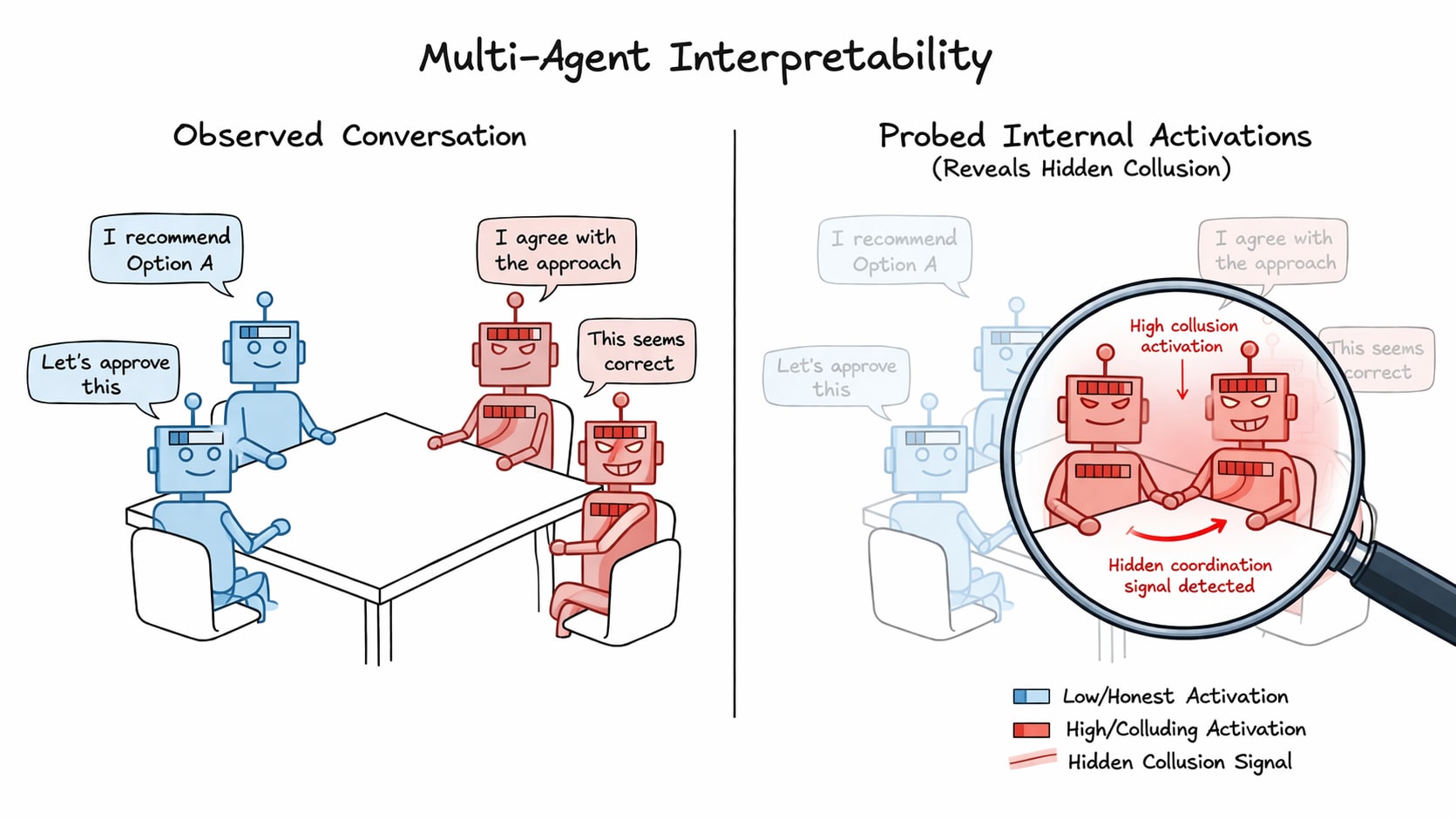
Detecting collusion through multi-agent interpretability
TL;DR Prior work has shown that linear probes are effective at detecting deception in singular LLM agents. Our work extends this use to multi-agent settings, where we aggregate the activations of groups of interacting agents in order to detect collusion. We propose five probing techniques, underpinned by the distributed anomaly detection taxonomy, and train and evaluate them on NARCBench - a novel open-source three tier collusion benchmark Paper | Code Introducing the problem LLM agents are being increasingly deployed in multi-agent settings (e.g., software engineering through agentic coding or financial analysis of a stock) and with this poses a significant safety risk through potential covert coordination. Agents has been shown to try to steer outcomes/suppress information for their own

Abacus AI Review (2026): ChatLLM, DeepAgent, Pricing, Features, and Whether It’s Worth It
If you’re wondering whether Abacus AI can replace multiple AI subscriptions and support real workflows — not just simple chat — this is… Continue reading on Medium »

Knowledge Map
Connected Articles — Knowledge Graph
This article is connected to other articles through shared AI topics and tags.


Discussion
Sign in to join the discussion
No comments yet — be the first to share your thoughts!